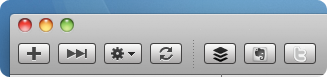
Starting with v2.5 and later, Vienna supports plug-ins which are installed on the toolbar and can run defined actions. These plug-ins are XML-based and can be created by editing a simple .plist-file without any knowledge of Cocoa programming, in as little as 15 minutes. This section describes how to create your own plug-ins, which will look and work exactly like the built-in ones:
Creating the Plug-in Bundle
Vienna plug-ins are distributed in the form of folders with the extension “.viennaplugin”, which macOS automatically treats as bundles. Simply create a new folder, named like your new plug-in. Then edit its name and append “.viennaplugin”. This registers the folder as a Vienna plug-in folder so that it can be double-clicked or dragged-and-dropped on the Vienna application icon to automatically install it. After this step, you can view the folder’s contents via control/right-clicking and choosing “Show Package Contents” from the menu.
Adding the Necessary Files
There are three types of plug-ins supported as of the time of writing:
Link plug-ins are simple sharing plug-ins that work with any web service that has a special URL for posting information. For example, if you wanted to share “xyz.com” (which has the page title “XYZ”) Facebook’s “sharer.php” would be called like this:
Script plug-ins can run AppleScripts, acting on the information that Vienna and other applications exposes to the user via their script suites.
Blog Editor plug-ins are simple plug-ins that tell Vienna about any application that can use information about blog posts or websites that it sends to it via its export feature. To create your own plug-in, you set Type to BlogEditor and BundleIdentifier to the application’s bundle identifier, which you can find in the Info.plist file inside the application bundle.
Each type requires:
An Info.plist file which defines the plug-in’s attributes.
An icon file, preferably a 32×32 TIFF without layers but with an alpha channel (see ButtonImage below).
Script plug-ins aditionally require:
The AppleScript file which, for example, gets information out of Vienna and sends it to an other application.
Configuring your Plug-in
The actual configuration of the plug-in happens in its “Info.plist”. The following example completely describes Vienna’s built-in Facebook plug-in:
<?xml version="1.0" encoding="UTF-8"?><!DOCTYPE plist PUBLIC "-//Apple//DTD PLIST 1.0//EN" "http://www.apple.com/DTDs/PropertyList-1.0.dtd"><plistversion="1.0"><dict><key>Name</key><string>ShareWithFacebook</string><key>Type</key><string>Link</string><key>URL</key><string>http://www.facebook.com/sharer.php?u=$ArticleLink$&t=$ArticleTitle$</string><key>Default</key><false/><key>FriendlyName</key><string>Facebook</string><key>Tooltip</key><string>Share the current article on Facebook</string><key>ButtonImage</key><string>facebookButton</string><key>MenuPath</key><string>Share With Facebook</string></dict></plist>
For more information on understanding and editing .plists, please go read this document at the Apple Developer Connection website.
Configuration Entries
Name: (mandatory) this is a short, internal, name that uniquely identifies the plug-in. It is now displayed in the UI.
Type: (mandatory) this specifies the plug-in type. Three values are accepted: Link, Script and BlogEditor.
BundleIdentifier: Only used for BlogEditor plug-ins, this defines the identifier of the application that you want to be called.
URL: (mandatory for link-type plug-ins) this is the URL that is browed when the plug-in button is clicked. Vienna substitutes the $…$ placeholders with actual values from the current article being viewed. See here for a list of placeholders.
Script: (mandatory for script-type plug-ins) this is the name of the script file in the same folder as the Info.plist.
Default: if this is set to true then this plug-in appears on the default toolbar.
FriendlyName: this is the short name of the plug-in that appears as the plug-in button text on the toolbar. It should be kept as short as possible. If omitted, the internal name is used instead.
Tooltip: this is the text of the tooltip that appears when you hover over the plug-in button on the toolbar. If omitted, the friendly name is displayed instead.
ButtonImage: (mandatory) this is the name of a 32x32 TIFF image in the same folder as the Info.plist that will be used as the toolbar button image. This image will be used on high-dpi (Retina) resolutions and scaled down to 16x16 otherwise. For older macOS versions that support small-sized toolbar items, Vienna takes this image and reduces it to 24x24 automatically, or 12x12 respectively. You can optionally include 24x24, 16x16 and 12x12 variants in the same TIFF image (see: Package Multiple Versions of Image Resources into One File). Before Vienna 3.2.0, an optional TIFF image prefixed with “small” was used for the small-sized toolbar item.
MenuPath: specifies an optional name for the plug-in at the end of the Article menu.
MenuKey: specifies an optional key association for the plug-in in the menu. This should be one or more of: Cmd, Ctrl, Alt and Shift, separated by a ‘+’ character and finally a single letter or number character.